Readme VS ReadEra

VestraCode news banner
MORE CONTROL OVER READING AND LISTENING

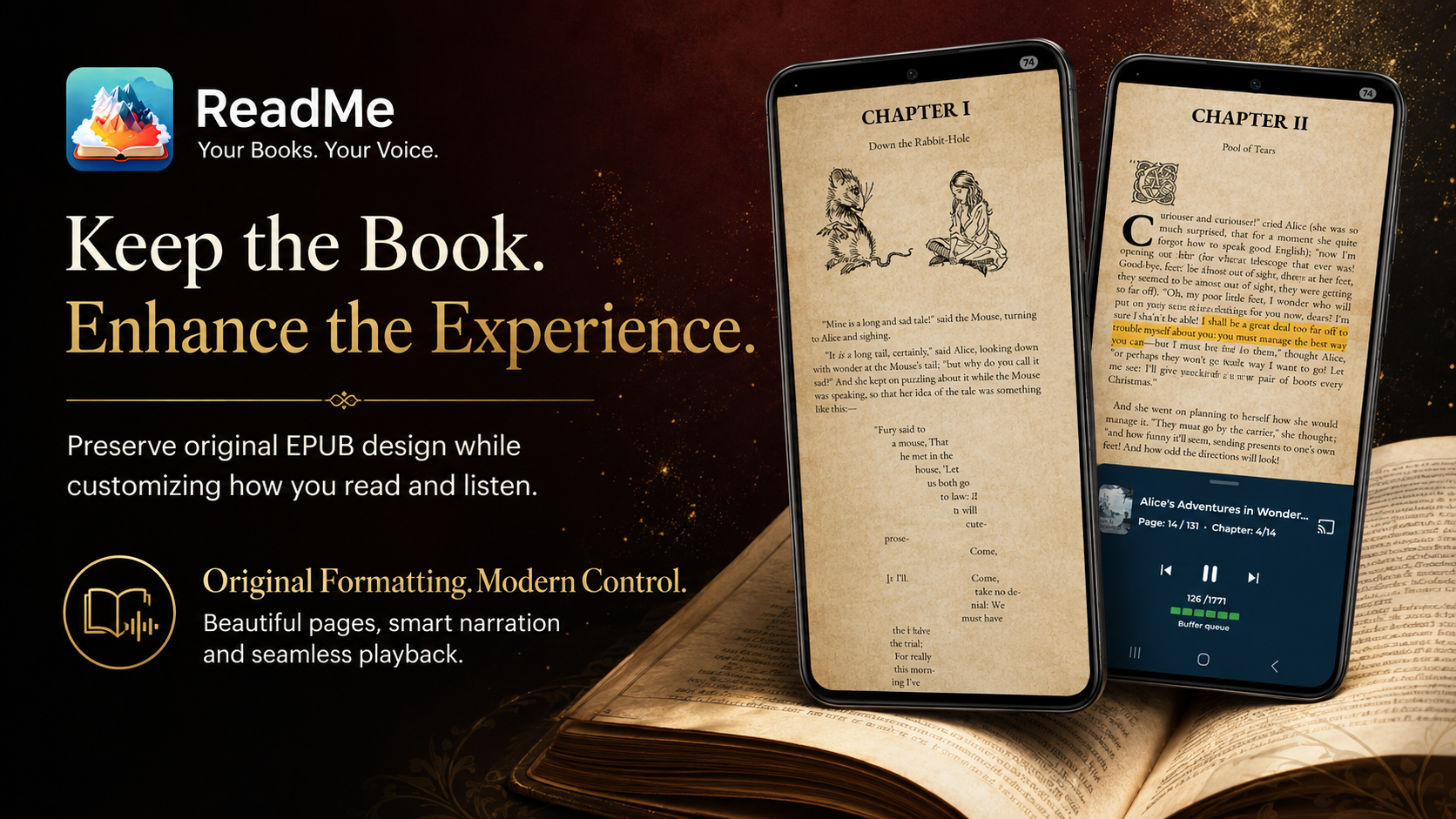
ReadMe treats text-to-speech as a complete playback system

ReadMe builds a more configurable workflow around spoken books: the engine, model, speaker and language are separate choices. Upcoming speech can be buffered before playback, queue readiness remains visible and playback can continue through Android media controls or compatible Cast devices.

Choose the full voice pipeline

Select the TTS engine, installed model, speaker and language independently instead of treating them as one combined voice option.

Control waiting versus continuity

Set how many sentences can be prepared and how much of that buffer must be ready before reading begins. This is particularly useful for heavy TTS models that take longer to generate speech, as it allows more audio to be pre-buffered and ensures smoother playback with fewer interruptions.

Keep listening beyond the reader screen

Use a foreground playback service, notification and lock-screen controls, or Google Cast for supported content.

A focused look at publicly described controls

The distinction here is not whether both apps can read aloud. It is how much of the speech-generation pipeline the reader can configure and observe.

Official public description

ReadEra

Reading aloud presented as a reader feature

  • Read aloud and AI voice features
  • Background spoken reading
  • Voice and reader controls presented through the reading experience
Advanced control

ReadMe

Reading aloud exposed as a configurable audio pipeline

  • Independent engine, model, speaker and language choices
  • Configurable buffering and playback-start threshold
  • Live local and Cast queue indicators
  • Media notification, lock-screen controls and background service
  • Language automation, text replacement and audio tuning

More than a voice selector

Integrated Supertonic 3

ReadMe can download and install the multilingual Supertonic 3 model, then expose its speakers through the same local TTS workflow used by the reader.

Engine, model and speaker stay separate

A reader can change the provider without losing the distinction between the physical model and a model’s available speakers.

Automatic language detection

ReadMe can detect a book or comic language and select a compatible installed model, while preferred mappings let the reader control the default for each language.

Speech equalizer and de-essing

Bass, mids and treble controls can tune the output, while supported Supertonic workflows include quality steps and sibilance reduction.

Exclusion and replacement rules

Remove unwanted tokens before speech or replace selected words and expressions with reader-defined alternatives.

Comics can join the listening workflow

Smart comic features can identify reading order, extract speech-bubble text with OCR, buffer it and read it through the selected TTS setup.

Rendering Comparison


After
Before
BeforeAfter

Where ReadMe has the clearest advantage

  • ReadMe exposes the TTS engine, model, speaker and language as separate, controllable layers.

  • A configurable 1–12 sentence buffer and Start reading after threshold give the reader direct control over startup delay and continuity.

  • The live TTS queue, Cast queue and background preparation make synthesis state visible instead of implicit.

  • Android MediaSession controls, foreground playback and Cast make spoken reading behave more like a dedicated audio player.

  • Automatic language detection, preferred models, equalizer, de-essing and text rewrite rules extend the listening workflow.

  • Book-default EPUB CSS, original font colors and transparent artwork support help retain the publication’s intended presentation.

For readers who want control

Build a reading and listening setup around your books

Try ReadMe with a richly formatted EPUB and a demanding local voice. Choose how faithfully the book is rendered, how much speech is prepared, when playback begins and where the audio plays.

Is this article claiming that ReadMe is better in every way?▼
No. Its scope is deliberately limited to verified areas where ReadMe exposes a practical advantage. It does not rank unrelated features and does not present the absence of a detail from a public page as proof that an app cannot do it.
Why is configurable buffering important?▼
A neural model may generate speech more slowly than a simple system voice. ReadMe lets the reader wait for several consecutive sentences or a full buffer, converting repeated short gaps into a more predictable initial wait.
Does a larger buffer make the TTS model faster?▼
No. It changes preparation strategy, not model speed. Its benefit is that more audio can be ready before playback catches the generator.
Can ReadMe keep the original EPUB appearance?▼
ReadMe can retain supported book CSS, font colors, structure and embedded images. Reader overrides remain available, and malformed or unsupported EPUB features can still require a fallback.
Can ReadMe remove a white background baked into an image?▼
No. It can blend genuinely transparent assets with the reader background, but it does not pretend that opaque white pixels in the original bitmap are transparent.
What makes ReadMe useful for mixed-language libraries?▼
Automatic language detection can work with installed model compatibility and reader-defined preferred model mappings, reducing repeated manual changes between books.